
Why Clearing Your History Doesn't Clear Everything
Deleting your browser history doesn’t remove all traces of your online activity. Learn what still gets stored, who can still track you, and how to improve your online privacy.
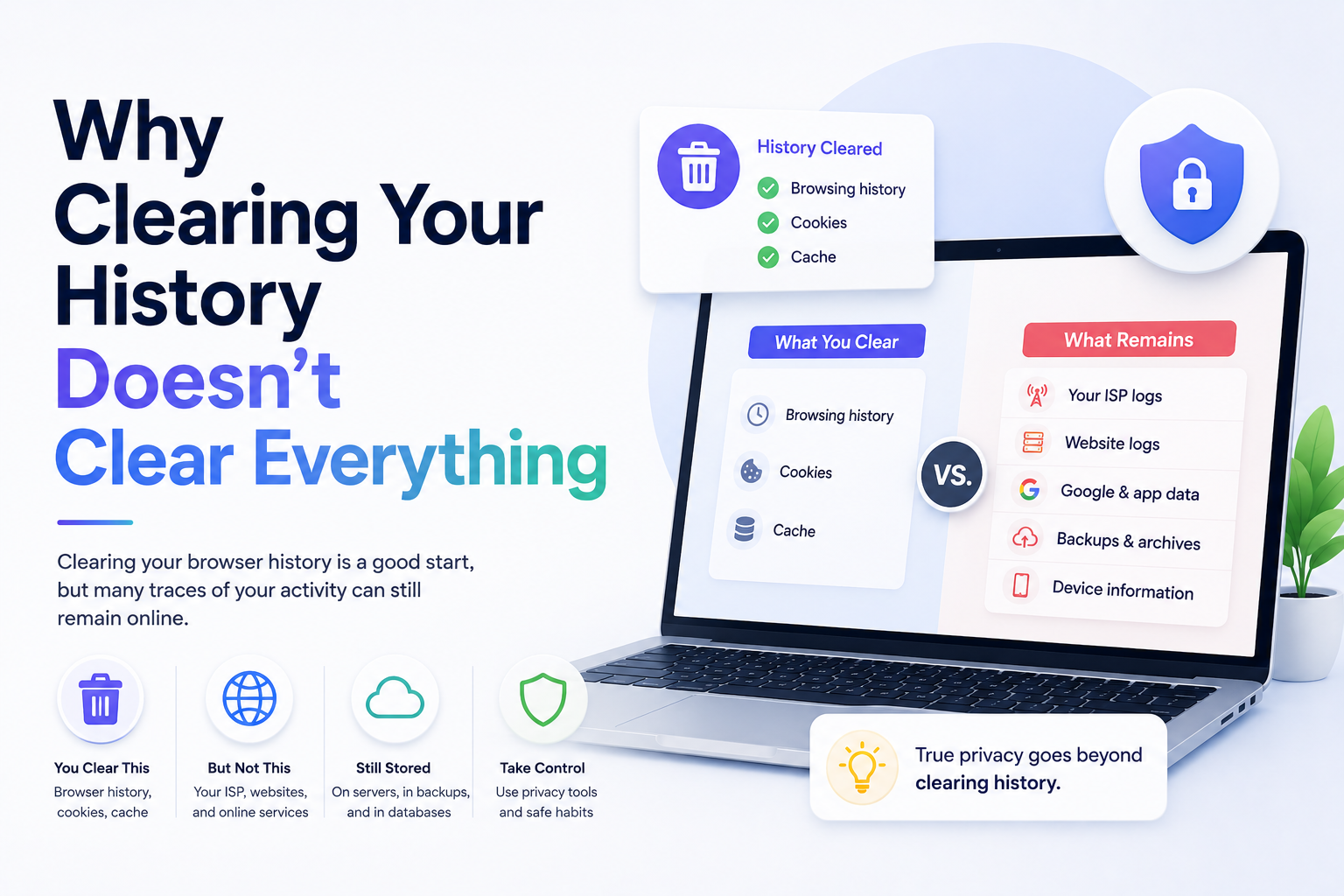
Why Clearing Your History Doesn't Clear Everything
Many people believe that deleting their browser history completely removes all traces of their online activity.
Unfortunately, that’s not entirely true.
Clearing your browsing history is a good start for protecting your privacy, but it doesn’t erase everything connected to your internet activity. Search engines, websites, apps, internet providers, and even synced devices may still retain data about what you do online.
In this guide, we’ll explain what actually happens when you clear your history, what data may still remain, and what additional steps you can take to improve your online privacy.
What Happens When You Clear Your Browser History?
When you clear your browser history, your browser usually removes:
- Visited website history
- Cached images and files
- Cookies
- Stored form data
- Autofill entries
- Temporary website data
This helps reduce local traces of browsing activity on your device.
However, deleting browser history only affects the data stored inside your browser — not necessarily everywhere else.
What Clearing History Does NOT Remove
1. Search Engine Activity
If you are logged into accounts like Google, Bing, or YouTube, your searches may still be stored online.
For example:
- Google stores Web & App Activity
- YouTube stores watch history and search history
- Microsoft may store Bing search activity
Even after deleting local browser history, your account activity may remain saved in the cloud.
2. Internet Provider Logs
Your internet service provider (ISP) may still see:
- Websites you visit
- Connection times
- Device activity
- Data usage
In some regions, ISPs are legally allowed to retain certain browsing records for a period of time.
3. Website Tracking Cookies
Some websites use advanced tracking methods that survive normal history clearing.
These may include:
- Persistent cookies
- Browser fingerprinting
- Tracking pixels
- Account-based tracking
If you stay logged into websites like Facebook, Google, or Amazon, those services may continue tracking activity across sessions.
4. Synced Devices
If your browser syncs data across devices, clearing history on one device may not fully remove it everywhere.
This applies to:
- Chrome Sync
- Safari via iCloud
- Firefox Sync
- Microsoft Edge Sync
Some activity may remain stored on connected devices or cloud backups.
5. Downloaded Files
Deleting history does not automatically remove:
- Downloaded documents
- Images
- Videos
- Software installers
- Saved files
You may still need to manually delete downloaded content.
6. DNS Records and Network Logs
Your router, network, or operating system may temporarily store DNS requests and connection logs.
These records can sometimes reveal:
- Recently visited websites
- Connected devices
- Internet traffic patterns
Why This Matters for Privacy
Many people assume that clearing browser history guarantees privacy.
But online privacy is more complicated.
Modern tracking systems often rely on:
- Accounts you log into
- Device identifiers
- Advertising IDs
- Browser fingerprints
- Cloud syncing
- App tracking
This means deleting history alone is not enough to fully erase your digital footprint.
How to Better Protect Your Privacy Online
1. Delete Account Activity Separately
Many services store activity independently from your browser.
Review and clear activity from:
- Google My Activity
- YouTube History
- Facebook Activity Log
- Microsoft Privacy Dashboard
2. Use Private Browsing Modes
Private browsing modes reduce local history storage.
Examples include:
- Chrome Incognito Mode
- Safari Private Browsing
- Firefox Private Window
- Edge InPrivate Browsing
Private browsing helps reduce local traces but does not make you anonymous online.
3. Regularly Clear Cookies and Site Data
Deleting cookies helps reduce:
- Ad tracking
- Session tracking
- Personalized advertising
- Website profiling
Some browsers also allow automatic cookie deletion when closed.
4. Review App Permissions
Many mobile apps collect data beyond normal browsing.
Check permissions for:
- Location access
- Microphone access
- Camera access
- Background activity
- Contacts and photos
5. Use Privacy-Focused Tools
Helpful privacy tools include:
- VPN services
- Privacy-focused browsers
- Ad blockers
- Tracker blockers
- Privacy search engines
- Password managers
Combining multiple privacy tools often works better than relying on one solution.
6. Log Out of Accounts When Needed
Staying logged into websites allows companies to associate activity directly with your account.
Logging out can reduce some forms of tracking.
Common Myths About Clearing History
Myth 1: Clearing History Makes You Anonymous
False.
Websites, apps, advertisers, and internet providers may still collect data.
Myth 2: Incognito Mode Hides Everything
False.
Incognito mode only limits local browser storage.
Your:
- ISP
- Employer
- School
- Websites you visit
…may still see activity.
Myth 3: Deleting Cookies Stops All Tracking
False.
Modern tracking also uses:
- Browser fingerprinting
- Account tracking
- Device IDs
- IP addresses
Final Thoughts
Clearing your browser history is useful, but it only removes part of your online footprint.
Search engines, synced accounts, apps, websites, internet providers, and cloud services may still retain information about your activity.
If you care about online privacy, it’s important to combine multiple habits and tools:
- Clear account activity
- Use strong privacy settings
- Limit tracking permissions
- Use secure browsing habits
- Stay cautious online
Online privacy is not about becoming invisible — it’s about reducing unnecessary exposure and taking more control over your personal data.
Keep reading
Related posts

How to Clear Search Recommendations
Learn how to clear search recommendations in browsers, Google, YouTube, Instagram, Facebook, TikTok, and other apps by managing history, cookies, and account activity.

How to Hide Your Tracks Online: Safe Privacy Steps That Actually Help
Learn safe, practical ways to reduce your digital tracks online by clearing history, managing account activity, limiting tracking, and protecting your privacy responsibly.

Incognito vs Safe Browsing: What’s the Difference?
Learn the difference between Incognito Mode and Safe Browsing, what each feature protects, and why private browsing is not the same as security protection.