
How to Protect Yourself While on the Internet
Learn practical ways to stay safe online, protect your personal information, avoid scams, and improve your privacy while browsing the internet.
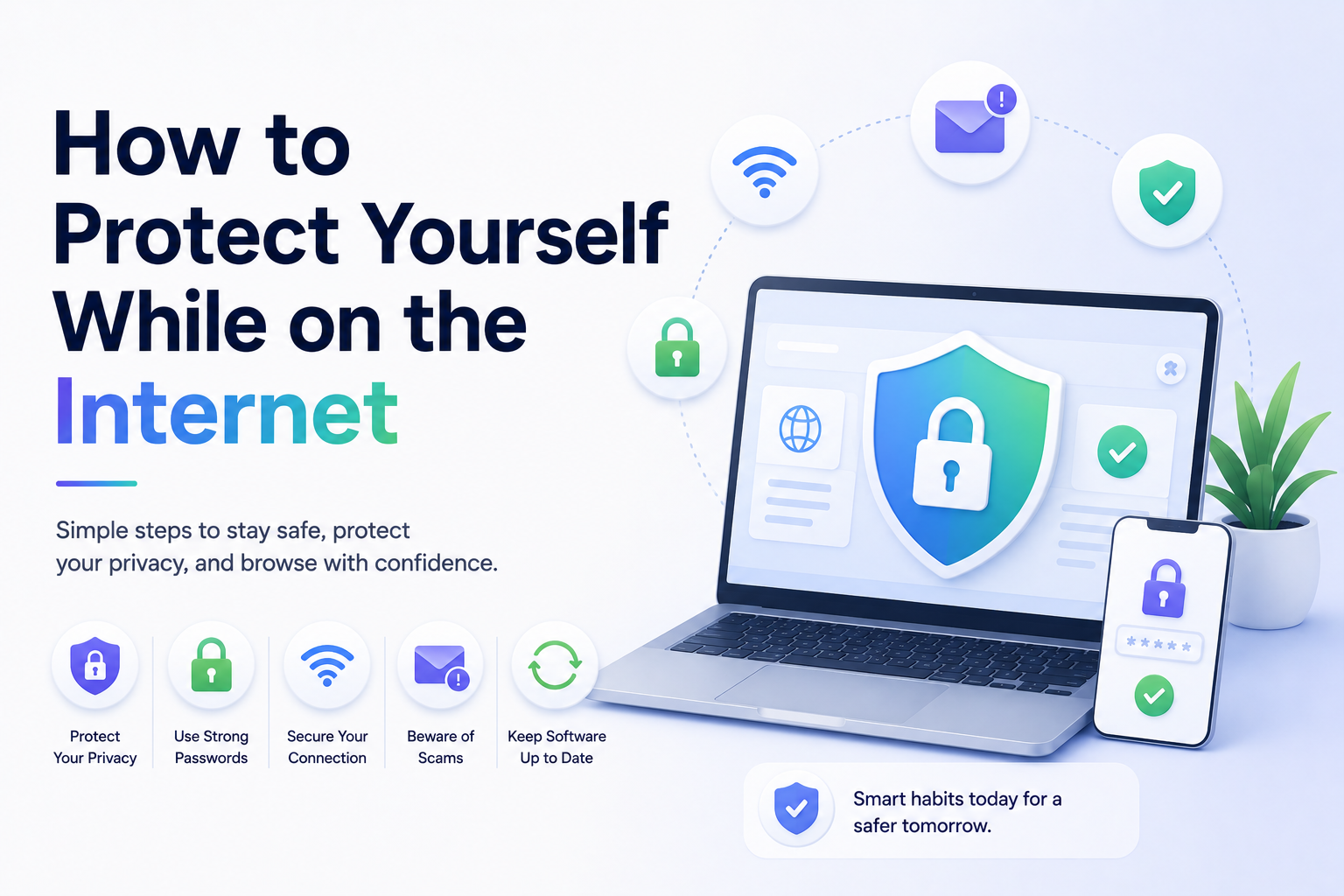
How to Protect Yourself While on the Internet
The internet has become part of everyday life. We use it for banking, shopping, work, communication, entertainment, and social media.
But while the internet offers convenience, it also comes with risks.
Cybercriminals, scams, phishing attacks, malware, identity theft, and online tracking have become increasingly common. Fortunately, protecting yourself online doesn’t have to be complicated.
In this guide, you’ll learn practical steps you can take to stay safer online, protect your personal information, and reduce your chances of becoming a victim of cybercrime.
Why Internet Safety Matters
Every time you go online, you share information.
This can include:
- Passwords
- Email addresses
- Banking details
- Shopping habits
- Personal photos
- Browsing activity
- Location data
Without proper security habits, this information can be stolen, tracked, or misused.
Practicing good internet safety helps:
- Protect your privacy
- Prevent identity theft
- Secure financial information
- Reduce online tracking
- Keep devices safe from malware
1. Use Strong and Unique Passwords
Weak passwords are one of the most common causes of hacked accounts.
A strong password should:
- Be long and difficult to guess
- Include letters, numbers, and symbols
- Avoid personal information
- Be different for every account
Bad Password Examples
- 123456
- password
- qwerty
- yourname123
Better Password Tips
Use passphrases such as:
- BlueRiver$Coffee92
- Summer!Train#Galaxy
2. Enable Two-Factor Authentication (2FA)
Two-factor authentication adds an extra layer of protection to your accounts.
Even if someone steals your password, they still need a second verification step.
Common 2FA methods include:
- Authentication apps
- SMS codes
- Email verification
- Security keys
Enable 2FA on:
- Email accounts
- Banking apps
- Social media
- Cloud storage
- Work accounts
3. Be Careful With Public Wi‑Fi
Public Wi‑Fi networks in cafes, hotels, airports, and shopping centers can be risky.
Attackers may attempt to intercept data on unsecured networks.
To stay safer:
- Avoid banking on public Wi‑Fi
- Use secure HTTPS websites
- Use a trusted VPN if needed
- Disable automatic Wi‑Fi connections
4. Watch Out for Phishing Scams
Phishing attacks try to trick you into revealing passwords, financial information, or personal data.
Phishing messages often:
- Pretend to be from trusted companies
- Create urgency or panic
- Ask you to click suspicious links
- Request sensitive information
Warning Signs of Phishing
- Strange email addresses
- Spelling mistakes
- Suspicious attachments
- Fake login pages
- Unexpected password reset requests
Always verify before clicking links or downloading files.
5. Keep Your Software Updated
Software updates often fix security vulnerabilities.
Outdated devices and apps are easier for attackers to exploit.
Regularly update:
- Your browser
- Operating system
- Apps
- Antivirus software
- Smart devices
Enable automatic updates whenever possible.
6. Use Trusted Websites
Before entering sensitive information online:
- Check for HTTPS in the address bar
- Avoid suspicious websites
- Verify online stores before purchasing
- Read reviews when unsure
Fake websites are commonly used for scams and malware distribution.
7. Limit the Personal Information You Share
Oversharing online can increase privacy and security risks.
Be cautious about posting:
- Your address
- Phone number
- Vacation plans
- Financial details
- Workplace information
- Personal documents
Cybercriminals sometimes use public information for identity theft or social engineering attacks.
8. Use Antivirus and Security Software
Reliable security software can help detect:
- Malware
- Ransomware
- Spyware
- Dangerous downloads
- Suspicious websites
While no software is perfect, it adds another layer of protection.
9. Review Privacy Settings
Many apps and websites collect more data than people realize.
Review privacy settings regularly on:
- Social media accounts
- Browsers
- Smartphones
- Apps
- Cloud services
Limit unnecessary permissions such as:
- Location tracking
- Microphone access
- Camera access
- Contact syncing
10. Learn to Recognize Online Scams
Online scams continue to evolve.
Common scams include:
- Fake giveaways
- Tech support scams
- Romance scams
- Investment scams
- Fake job offers
- Cryptocurrency scams
If something sounds too good to be true, it usually is.
11. Back Up Important Data
Backing up your files protects you from:
- Device failure
- Ransomware attacks
- Accidental deletion
- Theft
Use:
- External hard drives
- Cloud backups
- Automatic backup services
Regular backups can save significant stress later.
12. Teach Children About Internet Safety
Children and teenagers are also targets for online scams and privacy risks.
Teach them to:
- Avoid talking to strangers online
- Never share passwords
- Recognize scams
- Be cautious with downloads
- Report suspicious behavior
Parental controls can also help younger users stay safer online.
Common Internet Safety Mistakes to Avoid
Avoid these common mistakes:
- Reusing passwords
- Clicking unknown links
- Ignoring software updates
- Sharing too much online
- Downloading pirated software
- Using weak security settings
- Trusting every email or message
Small habits often make the biggest difference.
Final Thoughts
Protecting yourself on the internet is about building smart digital habits.
You don’t need to be a cybersecurity expert to improve your online safety.
Using strong passwords, enabling two-factor authentication, staying alert for scams, updating your devices, and protecting your privacy can significantly reduce your risk online.
The internet will never be completely risk-free, but taking simple precautions can help you browse, shop, work, and communicate much more safely.
Keep reading
Related posts

How to Clear Search Recommendations
Learn how to clear search recommendations in browsers, Google, YouTube, Instagram, Facebook, TikTok, and other apps by managing history, cookies, and account activity.
How to Hide Your Tracks Online: Safe Privacy Steps That Actually Help
Learn safe, practical ways to reduce your digital tracks online by clearing history, managing account activity, limiting tracking, and protecting your privacy responsibly.

Incognito vs Safe Browsing: What’s the Difference?
Learn the difference between Incognito Mode and Safe Browsing, what each feature protects, and why private browsing is not the same as security protection.